
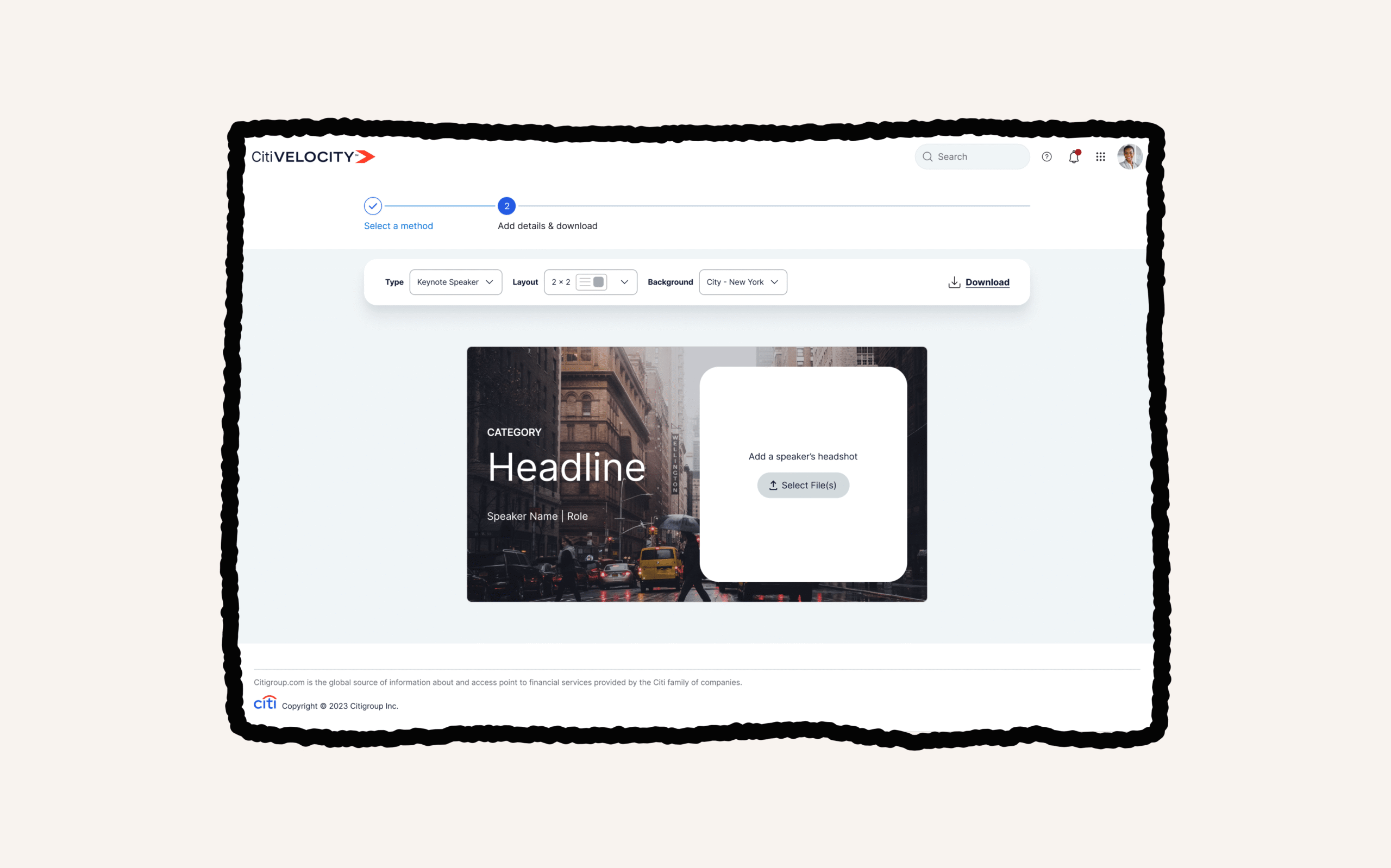
Polishing Expertise
Citi’s New Technology team was asked to create a Video Thumbnail Generator in a highly ambiguous B2B portfolio; where financial advisors reporting on market trends needed eye catching visuals for their articles.
I lead efforts as a Sr. UX/UI Lead, setting experience vision, strategy and building design assets for a CMS media platform. This resulted in a 92% increase in production efficiency and was reused for 4 repeatable use cases.
Role: Sr. UX/UI Lead
Timeline: 1 month
Responsibilities: Product Strategy, UX/UI, Visual Design
Setting the vision
Gathering requirements
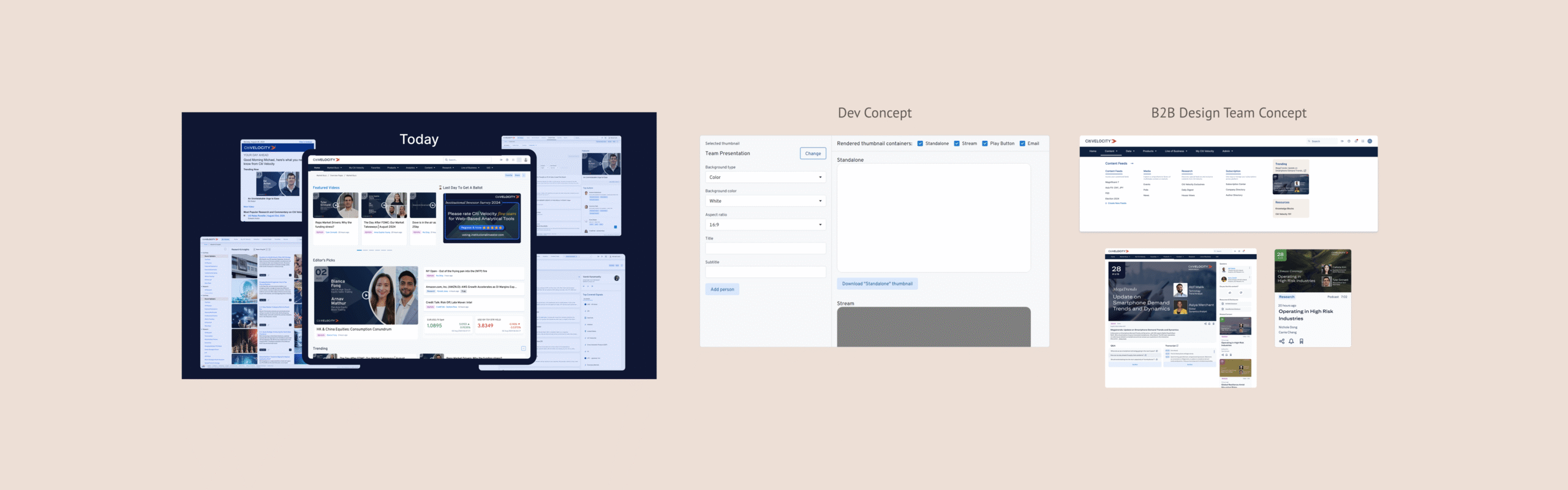
As the team was being assembled, I met with the New Tech team’s Head of Design to understand what had been requested, and what the team agreed to.
I learned that the dev team had mocked up a quick concept for pitching and the B2B team had a vision for their design.
The original requirements I received were:
- Must produce 16:9 thumbnail sizes
- Must be better and faster than the current process
The concerns I heard were:
- manual design process unsustainable and takes time
- inconsistencies in designs created
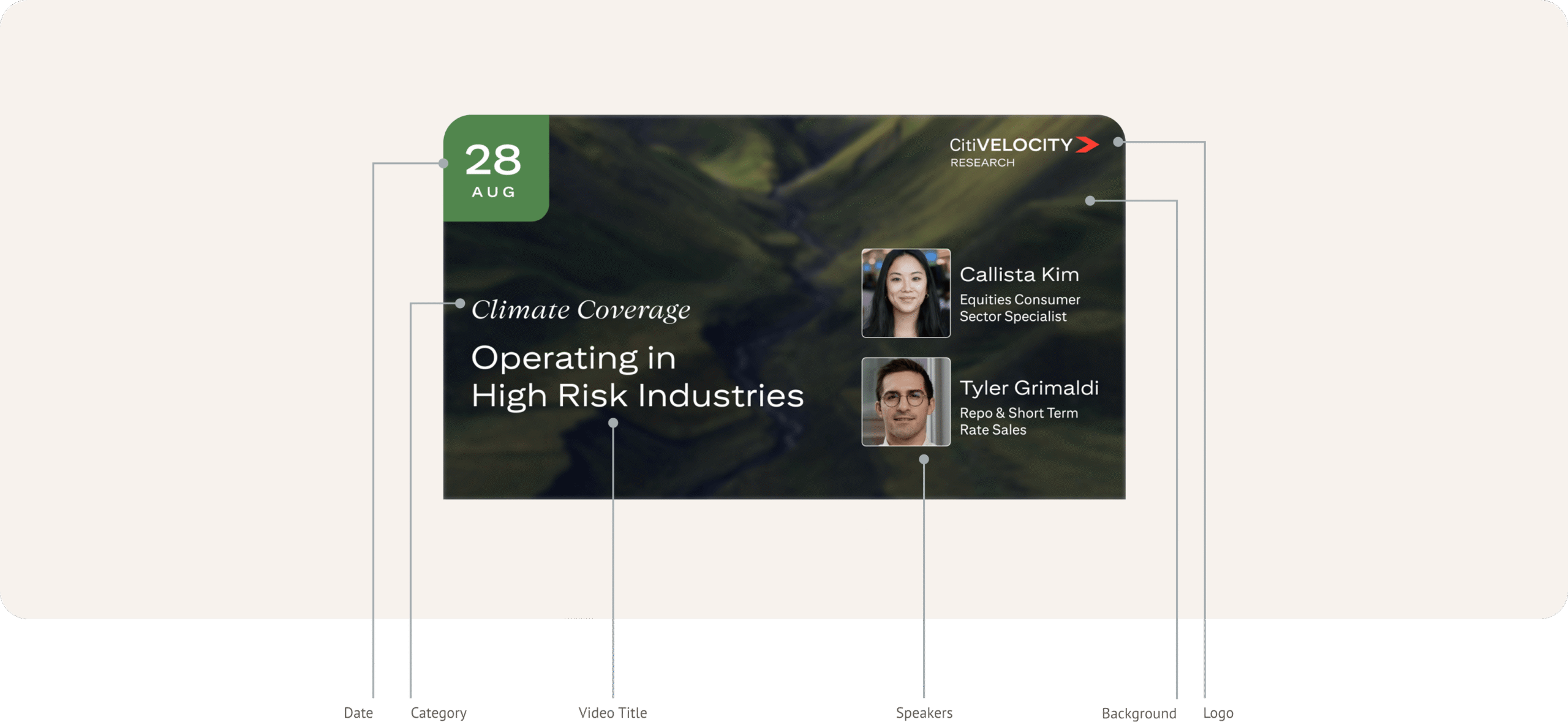
Video is limiting
We could drive more value if the generator functionality included more than just online video thumbnails.
Non-design users
The intended users were financial advisors looking to promote their articles online.
Accessibility concerns
If outputting flattened images, important details would not be available to screen readers or scale appropriately.
Not intuitive
The web portal was a great early functional reference, but needed intuitive patterns to reduce effort and design risk.
Opportunity
Flexible, purpose based templates with best practice standards built-in; following key principles:
- Configurable: UI that reflows content
- Uniquely Reusable: flexibility over customization
- Contextual: theming for specific placements
- Educational: best practice hints / alerts
Bringing ideas to life
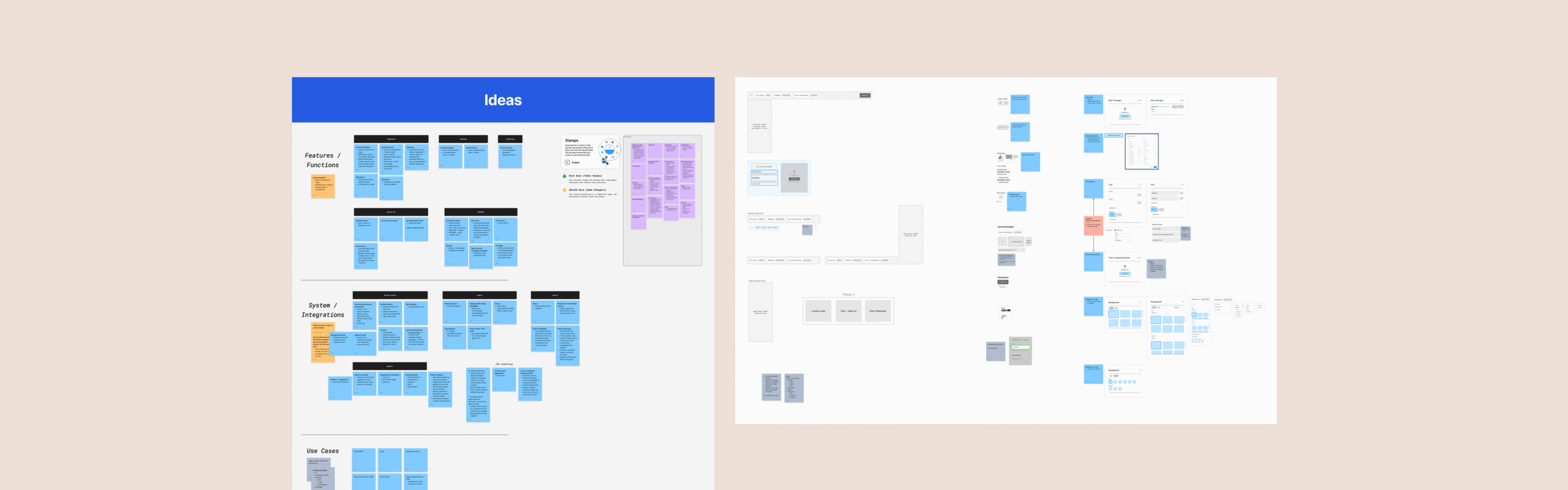
I audited the original concepts, breaking down elements into their configurable parts. The I helped plan variants and assets we would let users define.
Roadmap planning
Alignment calls with product and engineering leadership helped map what would be delivered in phase 1 and future phases. The must have requirements for Phase 1 were:
- generate again function for background images
- save/que for later
- special events / campaigns asset packages
- testing environment with UI elements (ie. play buttons)
Phase 2 included ideas such as a flexible tool plugin integration, data based “top performing layout” suggestions, batch exports for multi-generate function.
And with all great products, some tradeoffs are necessary. For this project and timeline, that meant descoping a logged in experience that would allow users to save preferred templates and a randomize function to avoid repetitive thumbnail creation for batch exports.
Flow Efficiency
I noticed areas where teams were getting stuck in their original workflow, and where a new operation model would make their tasks more efficient.
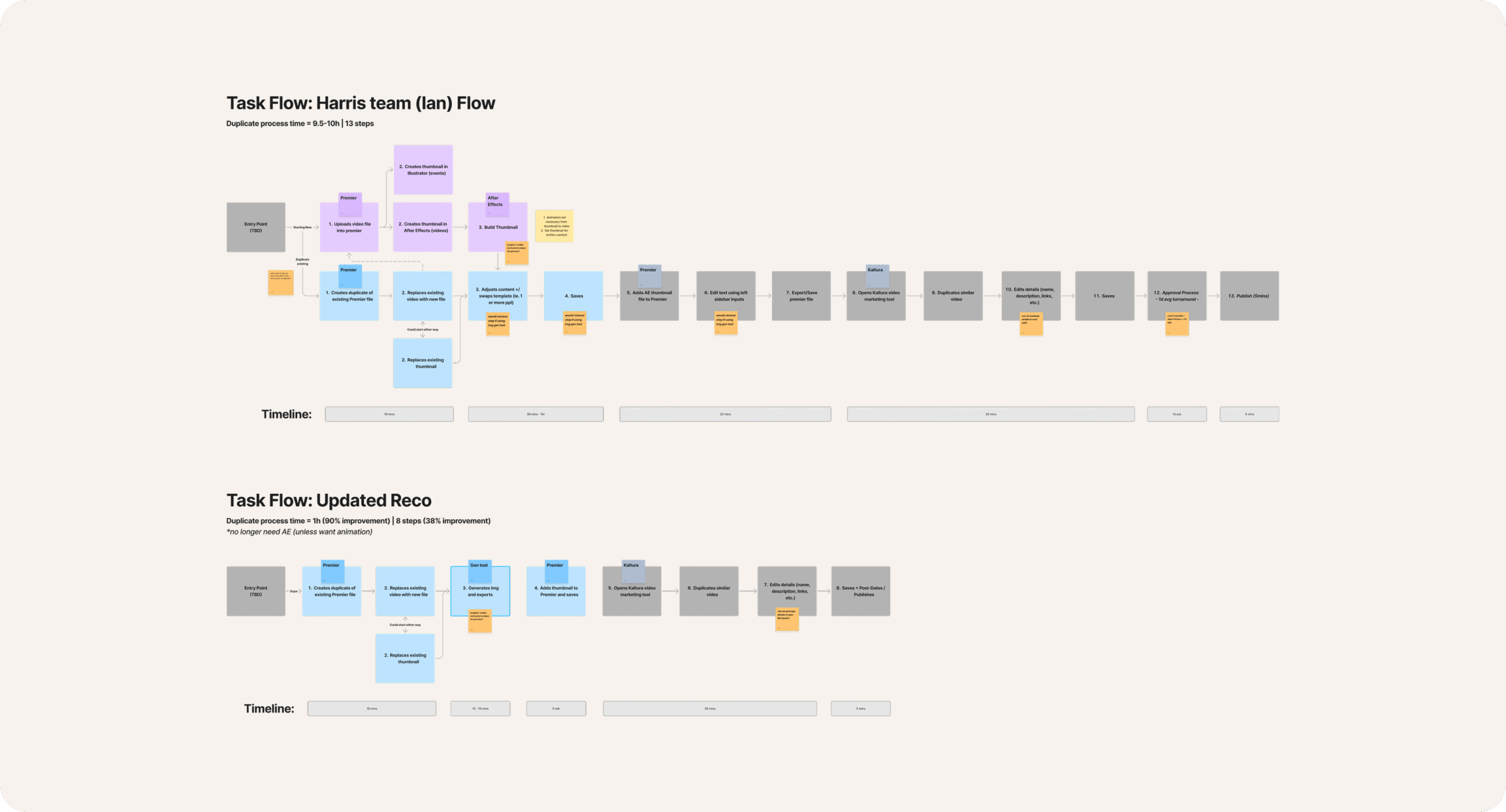
Users were duplicating a previous key frame Adobe After Effects file to start from a layout, and spending up to two days in back and forth review before able to publish. With predefined and approved templates now built into the AI Image Generator, teams cut time down to under 1hr to add content and publish.
Rapid Prototyping
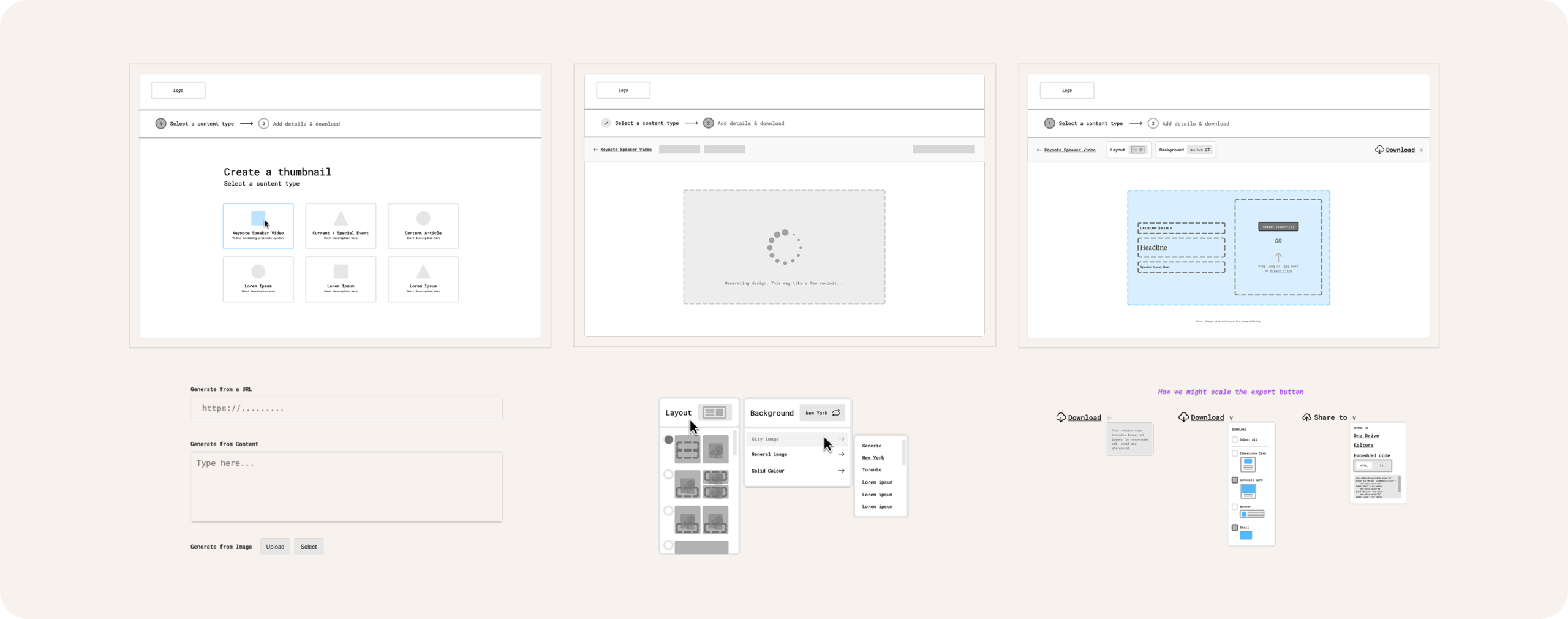
I gathered stakeholder feedback throughout the process using simple wireframe concepts on alignment calls built in FigJam.
Trustworthy Content Generation
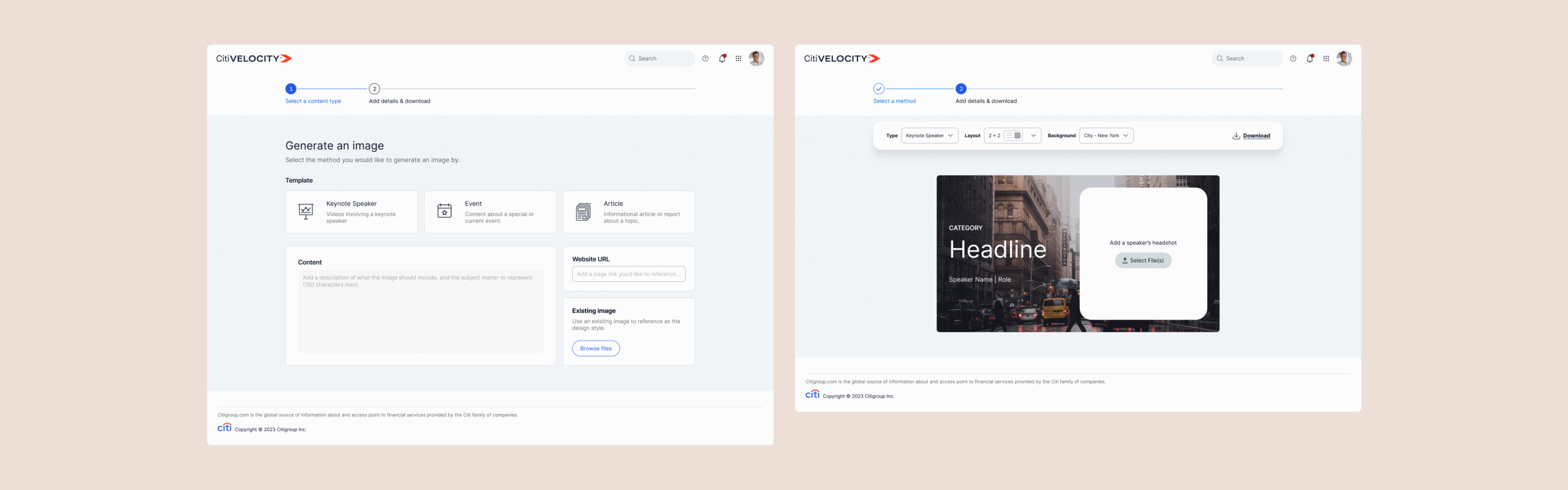
The final impact was a trustworthy thumbnail image generation tool that helped users confidently create thumbnails for important content that matched the author’s expert opinion.
Additionally, users could create the first thumbnail and then have that thumbnail smartly resized using AI to any additional configurations needed across CMS placements.